iolite v4.11.0 has just been released! Below is a quick summary of important changes.
Foundational Updates
Two critical iolite dependencies were updated for this release. Python, which is the embedded programming language you can use to write plugins and other scripts, was update from version 3.8 to 3.13. This update brings significant performance improvements, and some changes to syntax and the python standard library. We have also updated all of the site-packages distributed with iolite, e.g., numpy, scipy, matplotlib. Qt, which is the library we use for our user interface (among other things), was updated from version 5.15 to 6.10. This update brings better platform integration, and for the first time, a native Apple Silicon build. Many other third party libraries were also updated.
Due to these changes, platform compatibility is now as follows.
| Operating System | Version | Architecture |
|---|---|---|
| Windows | 10 (1809) or higher | x86_64 and translated arm64 |
| macOS | 13 (Ventura) or higher | x86_64 and native arm64 |
Resource Handling
For this release we are changing the way iolite handles “external” resources. These are the files that come bundled in iolite, but are extracted to and used from a different location so that you can see the code/data and modify or share them as desired (e.g., data reduction schemes, reference materials). Previously, you could configure where these files would go and optionally update them when iolite updates. This often led to startup and other compatibility issues. With this release, we will always extract these embedded resources to a specific location to ensure we have the files we need. You can still add your own files to these locations or change where iolite looks altogether via the preferences.
Other Notable Changes
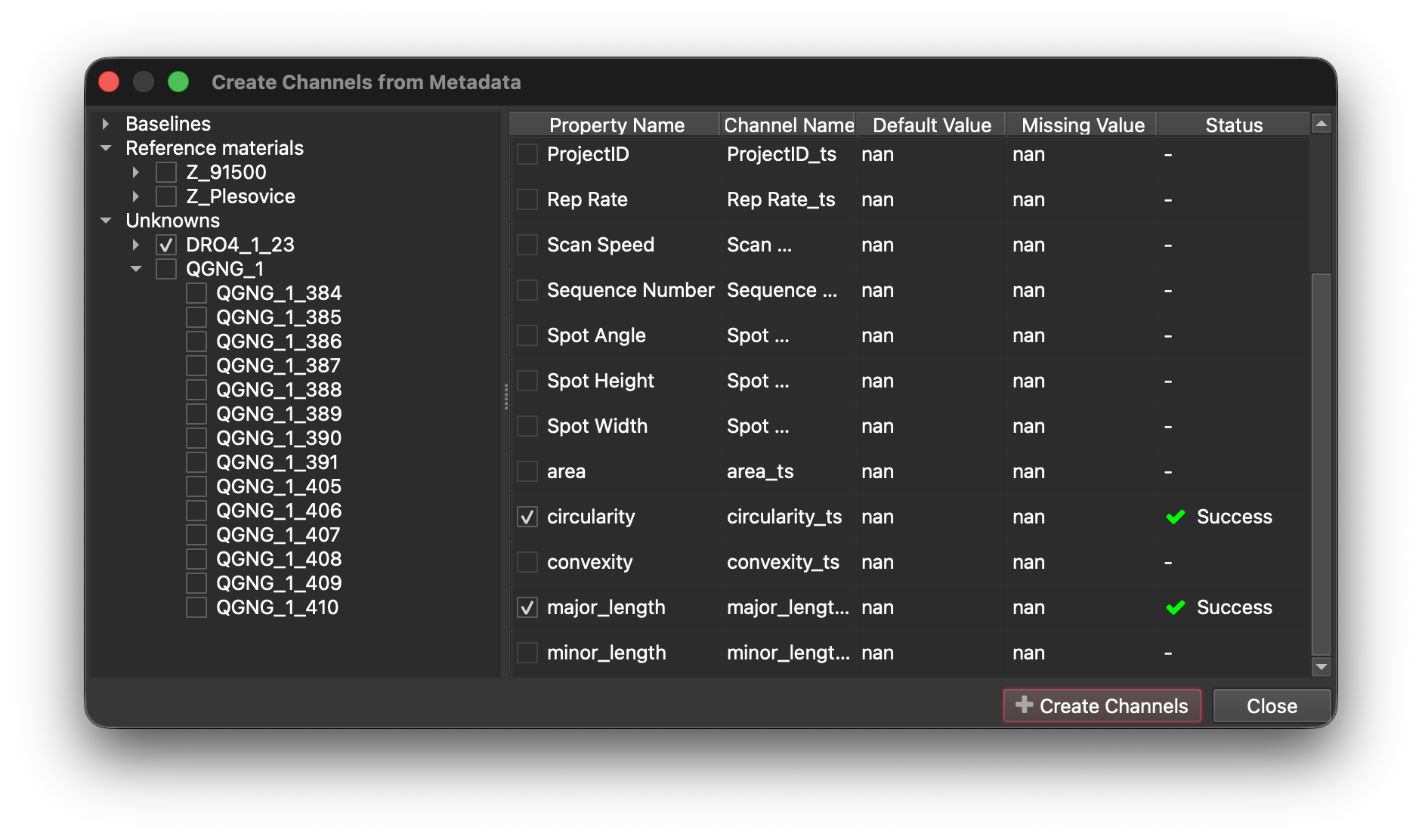
Of course, this release wasn’t just about upgrading libraries and paths! We have added a new way to create channels from selection metadata. This is particularly useful when you want to compare results with data captured by iolite Targeting (e.g. grain morphology or complimentary compositional data):
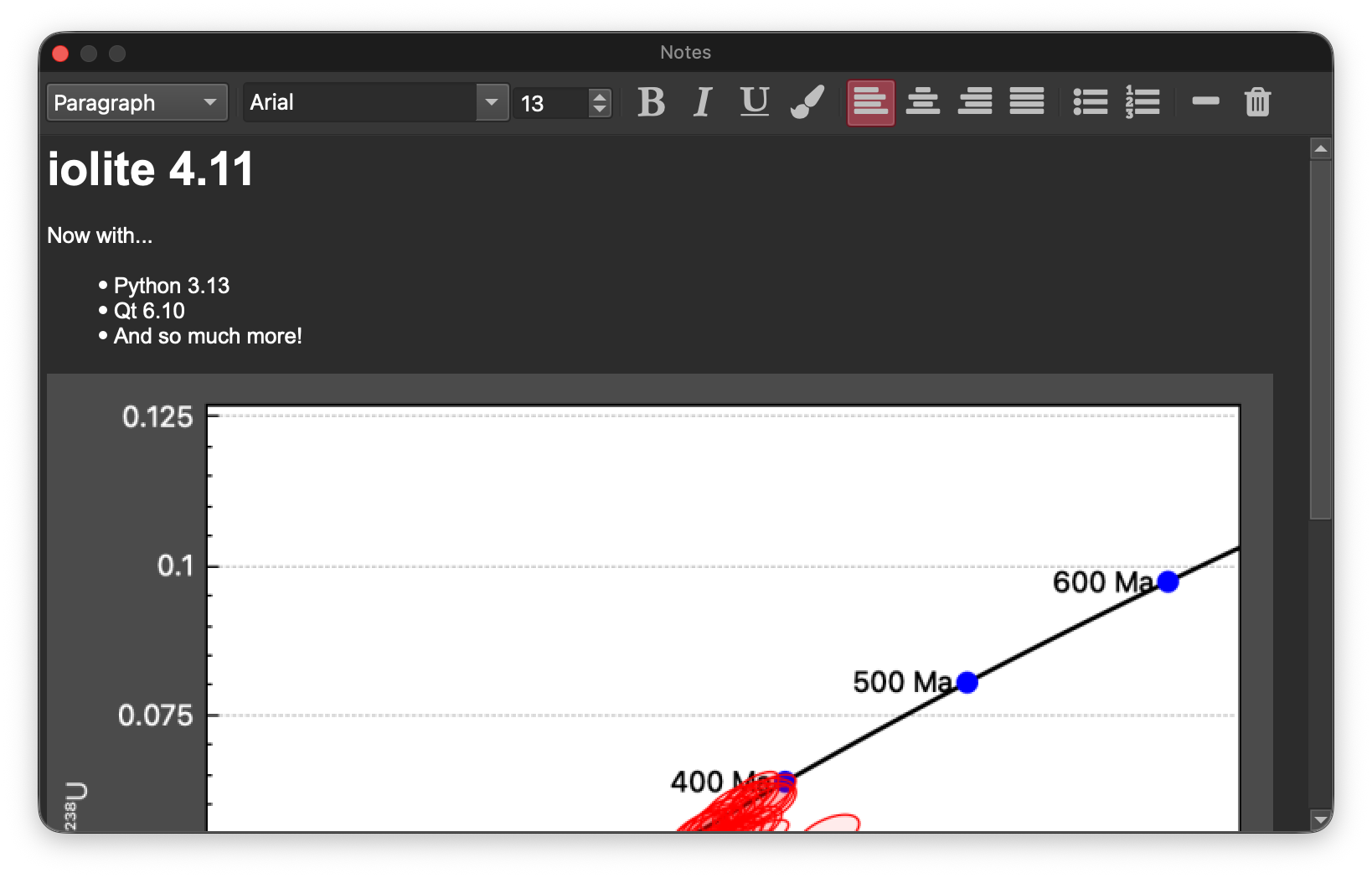
We have changed the Notes markdown editor into a more fully featured rich text editor:
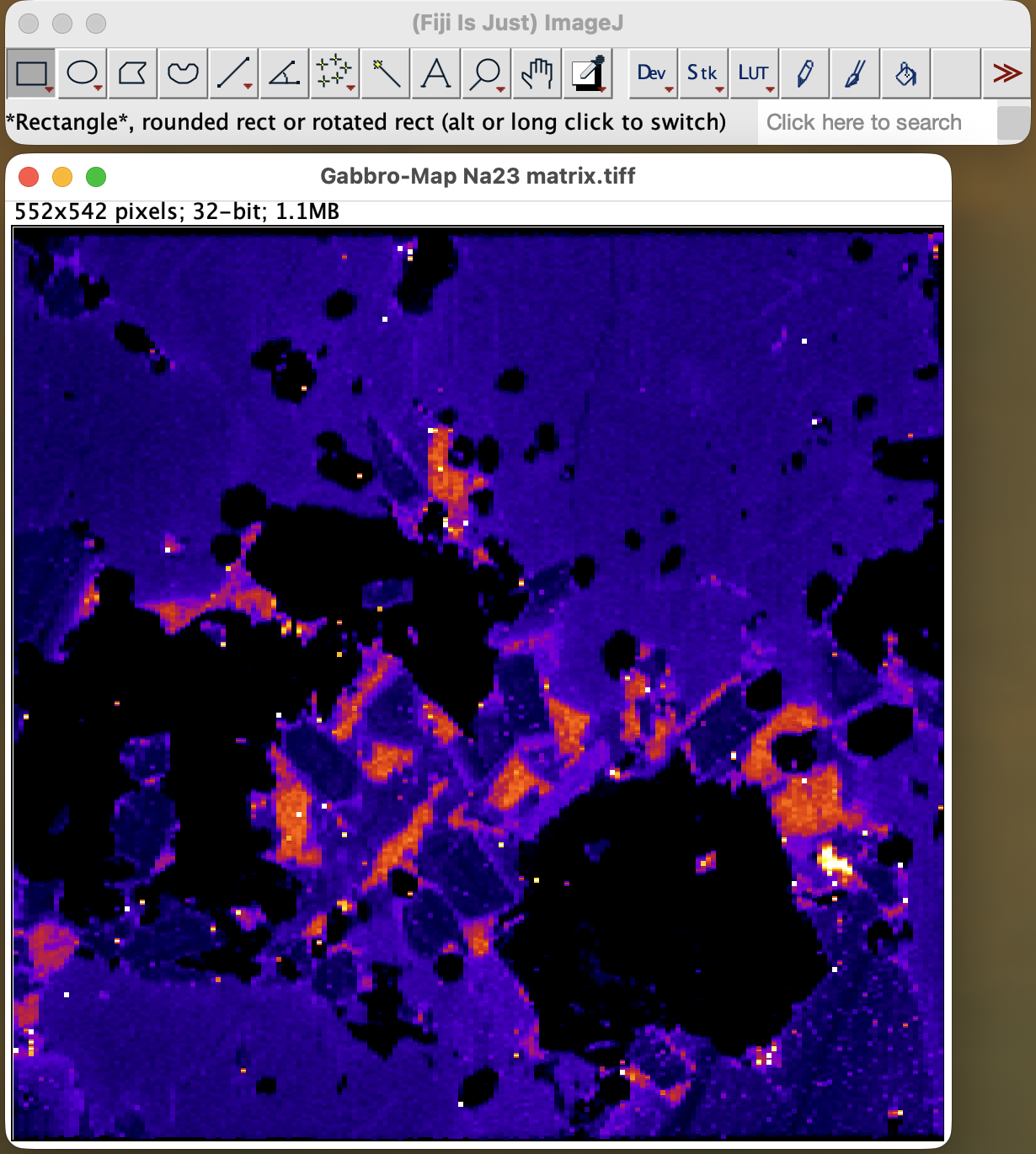
And added the ability to export numeric tiff image matrices for manipulation in other software:
The full list of changes is available in the Release Notes. More information about how the updates affect python-based plugins can be found in the Documentation.
If you have any questions about this release, or anything iolite related, please send us an email at iolite@icpms.com.
